How to Fix the IQOS 2.4 Plus Heater Blinking Red?
If your IQOS 2.4 Plus heater blinks red, the charger may still work but the holder will not heat. Common causes are a broken heating blade or a system error. Check the blade first, then try a 10-second reset.
IQOS 2.4 Plus blinking red, as shown in the image below:
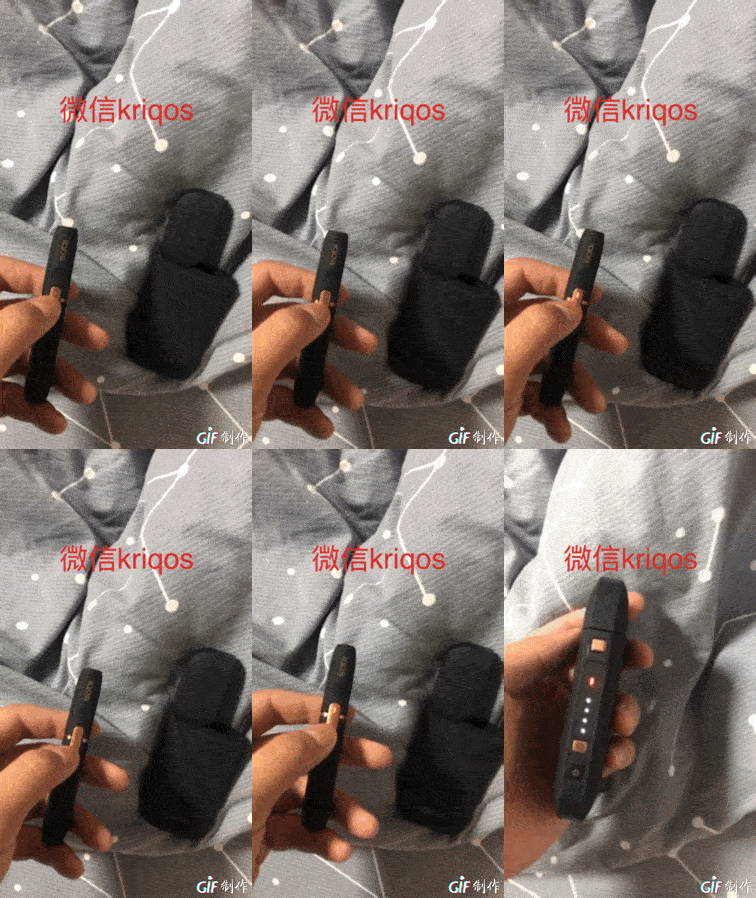
Usually the charger can charge normally, but once the holder is inserted, the holder blinks red and the charger also blinks red. There are generally two possible causes:
First: remove the holder cap and check whether the heating blade inside is broken. If it is not broken, place the holder into the charger and press and hold for 10 seconds to reset it. Then check whether it can charge normally. If it can, the problem is solved.
Second: the holder may have gotten wet. Many cases like this are caused by water ingress. As an emergency measure, use a hair dryer to blow it dry. Try not to use too high a temperature; blow for a while longer, then place it back in the charger and check whether it works normally. If not, it will need repair.
1. If the holder shows a red light, clean the bottom contacts with an alcohol cotton swab.
2. Press and hold the holder button to turn the holder off, then place it into the charger to charge.
3. Put the holder back into the charger, then press the cleaning button and the power button together to reset the system.
4. Turn the holder upside down and shake it firmly a few times, then tap it downward a few times.
5. If none of the above 4 steps work, check whether the heating blade is broken. If it is not, put the holder in the freezer for 2 minutes. If none of these 5 methods work, it can only be repaired! Our WeChat: vapeos
Usually the charger can charge normally, but once the holder is inserted, the holder blinks red and the charger also blinks red. There are generally two possible causes:
First: remove the holder cap and check whether the heating blade inside is broken. If it is not broken, place the holder into the charger and press and hold for 10 seconds to reset it. Then check whether it can charge normally. If it can, the problem is solved.
Second: the holder may have gotten wet. Many cases like this are caused by water ingress. As an emergency measure, use a hair dryer to blow it dry. Try not to use too high a temperature; blow for a while longer, then place it back in the charger and check whether it works normally. If not, it will need repair.
1. If the holder shows a red light, clean the bottom contacts with an alcohol cotton swab.
2. Press and hold the holder button to turn the holder off, then place it into the charger to charge.
3. Put the holder back into the charger, then press the cleaning button and the power button together to reset the system.
4. Turn the holder upside down and shake it firmly a few times, then tap it downward a few times.
5. If none of the above 4 steps work, check whether the heating blade is broken. If it is not, put the holder in the freezer for 2 minutes. If none of these 5 methods work, it can only be repaired! Our WeChat: vapeos