How to Fix an IQOS Holder Red Light and Charging Issue
If your IQOS holder shows a red light or will not charge, try cleaning the bottom contacts, powering the holder off, charging it in the pocket charger, resetting it, and checking whether the heating blade is broken.
How to Fix an IQOS Holder Red Light and Charging Issue
How to fix the red light on the IQOS 2.4 PLUS holder

1. If the holder shows a red light, clean the bottom contacts with an alcohol cotton swab.
2. Press and hold the holder button to turn it off, then place it into the charger to charge.
3. Put the holder back into the charger, then press the cleaning button and the power button together to reset the system.
4. Turn the holder upside down, shake it firmly a few times, and tap it downward lightly.
5. If none of the above four methods work, check whether the heating blade is broken. If it is not, place the holder in the freezer for 2 minutes. If all five methods fail, it will need repair.
To fix a flashing red light while charging the holder, make sure to wait until the holder has completely cooled down after finishing a tobacco stick. Put it back only when it no longer feels warm in your hand.
Then it should charge normally with a flashing green light. If you insert it while it still has residual heat after use, it may continue flashing red.
IQOS cleaning
For proper maintenance, clean the holder regularly. It is best to use the included cleaning tool first, and then wipe the heating blade with a special alcohol cotton swab.
How to avoid IQOS red light issues
First, do not use too much alcohol when cleaning. The cotton swab should stay slightly moist and not be soaked with alcohol.
Second, after using a tobacco stick, wait for the holder to cool down before placing it into the charging case. Do not put it in for charging immediately after use.
Third, do not take a few puffs and then pull out the tobacco stick or leave the device aside without turning it off. You can press and hold the power button to switch it off.
How to fix the red light on IQOS 3.0 and 3.0 DUO
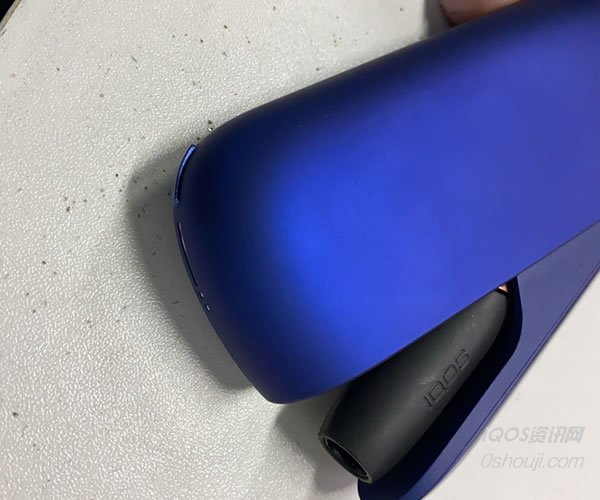
The 3.0 holder generally does not show a red light; usually the charger shows the red light instead. If a red light appears, first check whether the heating blade is broken, then press and hold the charger button for 10 seconds to reset it. Before doing this, clean the heating blade, as dirt on the blade may also cause the red light. In many cases, red light issues caused by user error are due to water damage.
How to fix the red light on the IQOS MULTI
If the MULTI shows a red light:
First, make sure it has power and charge it first, because the battery indicator can sometimes be inaccurate.
Second, check whether the heating blade is broken.
Third, reset the device. If it still does not work, the mainboard IC is usually burned out.
On the MULTI, a red light is generally caused by a broken heating blade or improper cleaning of the heating blade.
If you still cannot solve it, please contact us on WeChat: vapeos. We provide professional fast repair service—received and shipped back the same day! We are one of the earliest repair providers in China, established in 2017.
How to avoid IQOS red light issues
First, do not use too much alcohol when cleaning. The cotton swab should stay slightly moist and not be soaked with alcohol.
Second, after using a tobacco stick, wait for the holder to cool down before placing it into the charging case. Do not put it in for charging immediately after use.
Third, do not take a few puffs and then pull out the tobacco stick or leave the device aside without turning it off. You can press and hold the power button to switch it off.
How to fix the red light on IQOS 3.0 and 3.0 DUO
The 3.0 holder generally does not show a red light; usually the charger shows the red light instead. If a red light appears, first check whether the heating blade is broken, then press and hold the charger button for 10 seconds to reset it. Before doing this, clean the heating blade, as dirt on the blade may also cause the red light. In many cases, red light issues caused by user error are due to water damage.
How to fix the red light on the IQOS MULTI
If the MULTI shows a red light:
First, make sure it has power and charge it first, because the battery indicator can sometimes be inaccurate.
Second, check whether the heating blade is broken.
Third, reset the device. If it still does not work, the mainboard IC is usually burned out.
On the MULTI, a red light is generally caused by a broken heating blade or improper cleaning of the heating blade.
If you still cannot solve it, please contact us on WeChat: vapeos. We provide professional fast repair service—received and shipped back the same day! We are one of the earliest repair providers in China, established in 2017.