What Features Does the YOOZ 2nd Gen Vape Have? YOOZ Vibration and Indicator Light Guide
Although many friends own the YOOZ 2nd Gen, many are not fully aware of its features, such as what the colors of the indicator light mean and what it signifies when the YOOZ 2nd Gen vibrates unexpectedly.
Today, I will address these questions for everyone.
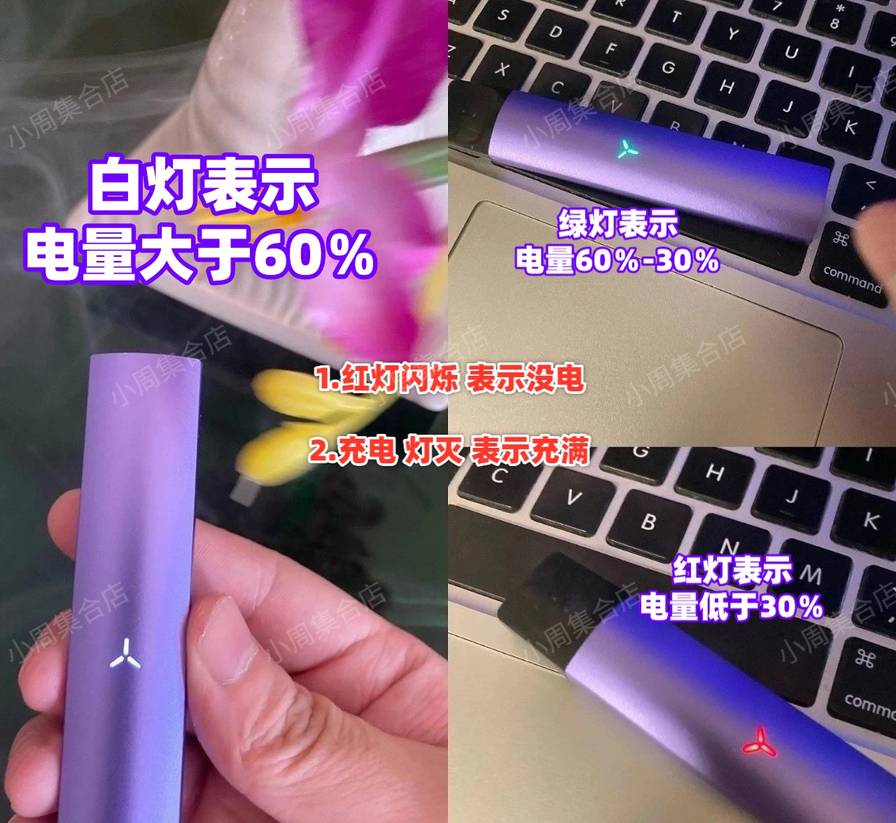
1. The middle light of the YOOZ 2nd Gen changes color
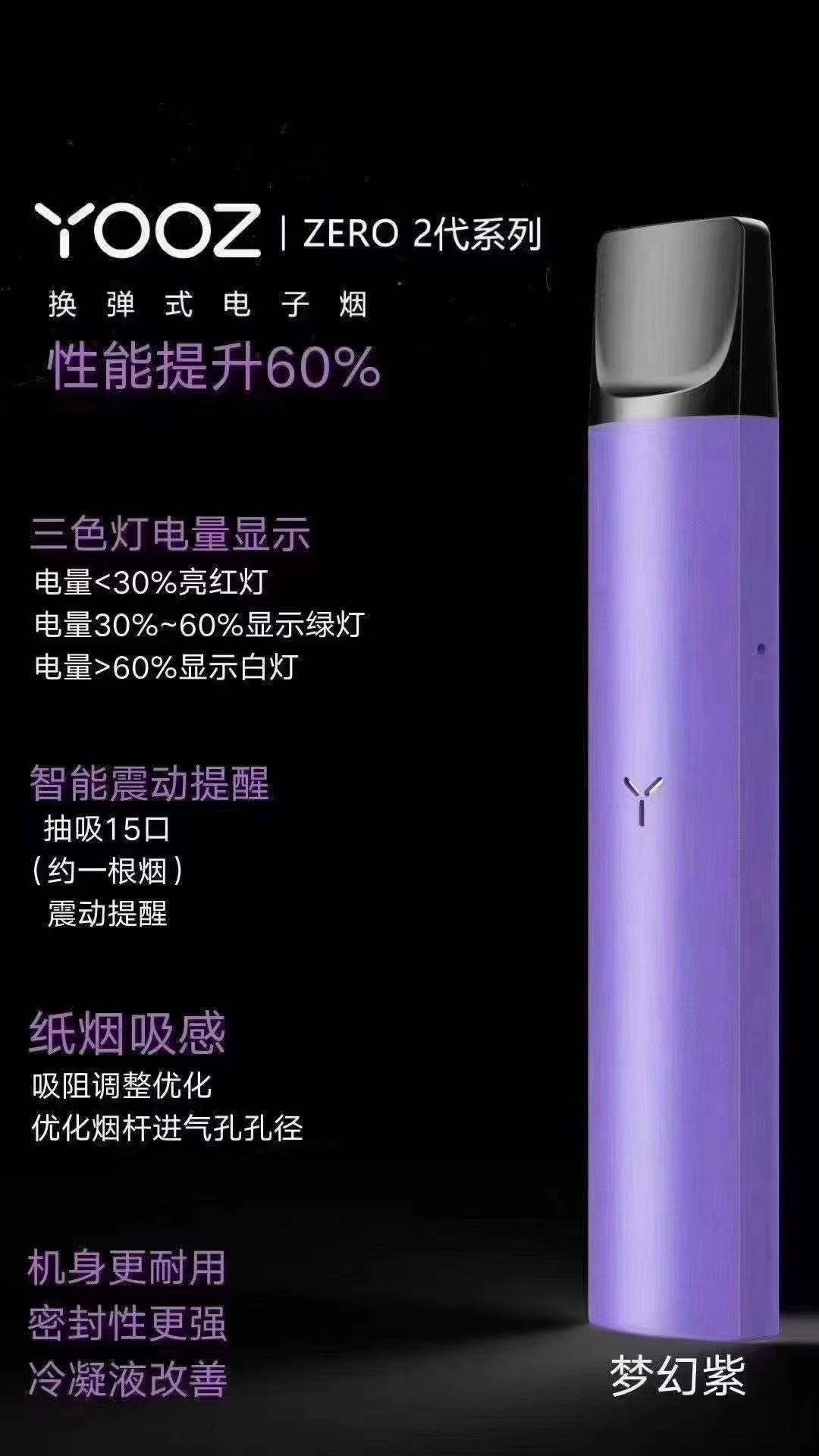
The YOOZ 2nd Gen has three colors for its breathing light: white, green, and red.
The main purpose of this feature is to keep users informed about the battery status and to prepare for charging in advance.
White: indicates power is above 60%
Green: indicates power is 30%-60%
Red: indicates power is below 30%
If your YOOZ 2nd Gen shows red, it means your power is below 30%. Prepare to charge.
2. Why does it vibrate?
Many friends feel confused when the YOOZ 2nd Gen vibrates unexpectedly. They wonder what it means and if there is a problem. First, this is not a malfunction. It is a feature of the YOOZ 2nd Gen.
The YOOZ 2nd Gen vibrates in two main situations:
1.When the pod is inserted, the atomizer vibrates
This indicates that the atomizer's electrode and the vape's electrode are connected, and you can start vaping.
2.Vibration during inhalation
This occurs because you triggered the fifteen-puff smart reminder during inhalation.
The fifteen-puff smart vibration indicates that the amount of nicotine consumed is approximately equivalent to that of one cigarette, reminding you to vape in moderation.
3. How does the YOOZ 2nd Gen display when fully charged?
During the charging process of the YOOZ 2nd Gen, the indicator light will display red, white, and green (refer to point 1).
When fully charged, the middle light will turn off. If the breathing light is off, it indicates that the battery is full. Please unplug the power in time. (Please do not use fast charging, as it may damage the device.)
Careful users will notice that the breathing light alternates between strong and weak during charging.