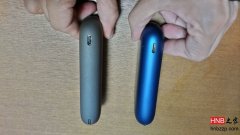
How to Use Temperature Control on a High-Copy LIL
For the high-copy LIL Plus 2, press the button 8–10 times to enter temperature control. Wait for the indicator to turn green for the lowest setting, then press once to raise the temperature step by step. Hold the button to lock the chosen l
How to Use Temperature Control on a High-Copy LIL
Quickly press the button 8 times; pressing it 9 or 10 times also works.
Pause and wait for the indicator light to turn green, which indicates the lowest temperature. Then, each press increases the temperature level. If you press multiple times, the indicator light will flash orange-red, indicating that the highest temperature has been reached.
During this process, press and hold the button. When the indicator light goes out, the temperature will stop at the last set temperature.
After the green light, directly long press the button to turn off, and the temperature will be at the lowest;
After the green light, press twice slowly, then long press to turn off, and the temperature will be at the second level.
Pressing quickly 8 times lowers the temperature, while pressing quickly 10 times raises the temperature.
According to my understanding, the original LIL PLUS cannot adjust the temperature. If you encounter a LIL that can adjust the temperature, congratulations, you have purchased a high-copy version. However, this feature is a significant improvement over the original device, allowing you to use both IQOS and FIIT!
Quickly press the button 8 times; pressing it 9 or 10 times also works.
Pause and wait for the indicator light to turn green, which indicates the lowest temperature. Then, each press increases the temperature level. If you press multiple times, the indicator light will flash orange-red, indicating that the highest temperature has been reached.
During this process, press and hold the button. When the indicator light goes out, the temperature will stop at the last set temperature.
After the green light, directly long press the button to turn off, and the temperature will be at the lowest;
After the green light, press twice slowly, then long press to turn off, and the temperature will be at the second level.
Pressing quickly 8 times lowers the temperature, while pressing quickly 10 times raises the temperature.
According to my understanding, the original LIL PLUS cannot adjust the temperature. If you encounter a LIL that can adjust the temperature, congratulations, you have purchased a high-copy version. However, this feature is a significant improvement over the original device, allowing you to use both IQOS and FIIT!