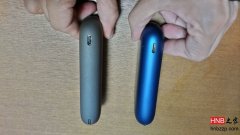
If your IQOS MULTI flashes red, first check whether the heating blade is damaged. If not, try resetting the device by pressing the button five times, then holding it for 10 seconds, and make sure it has charge.
How to Fix the Red Flashing Light on IQOS MULTI? <\/h3>
As a device for continuous use, many customers often ask on WeChat how to resolve the red light issue on the IQOS MULTI. First, please check the heating element; if it is not broken, proceed to the next step. Second, press the button five times quickly, then hold it for 10 seconds to reset the device. If that doesn't work, check if the device has power. Sometimes the MULTI device shows half battery but is actually out of power; recharging it can solve the issue. If none of these three methods work, it indicates that the mainboard IC is burnt out, and you will need to have it repaired! <\/span>