How Do You Connect the RELX 3rd Generation Lingdian to Bluetooth? What Is Bluetooth Used For?
As we all know, the RELX 3rd Generation (Lingdian) is a smart version released by RELX, which can connect to your phone via Bluetooth through the official app.
However, many users do not know how to connect it to their phones and what the benefits are after connecting. Below, I will explain how to connect the RELX 3rd Generation to Bluetooth and what you can do after connecting.
1. How to connect Bluetooth
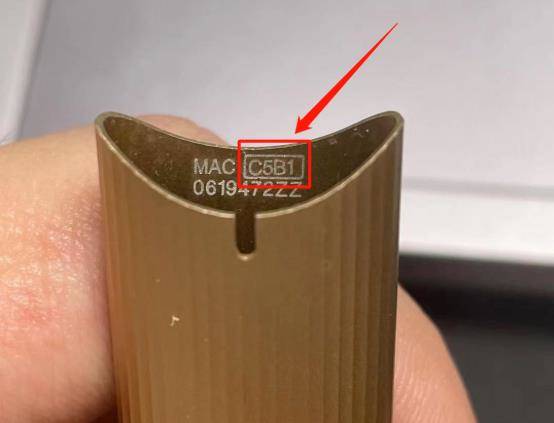
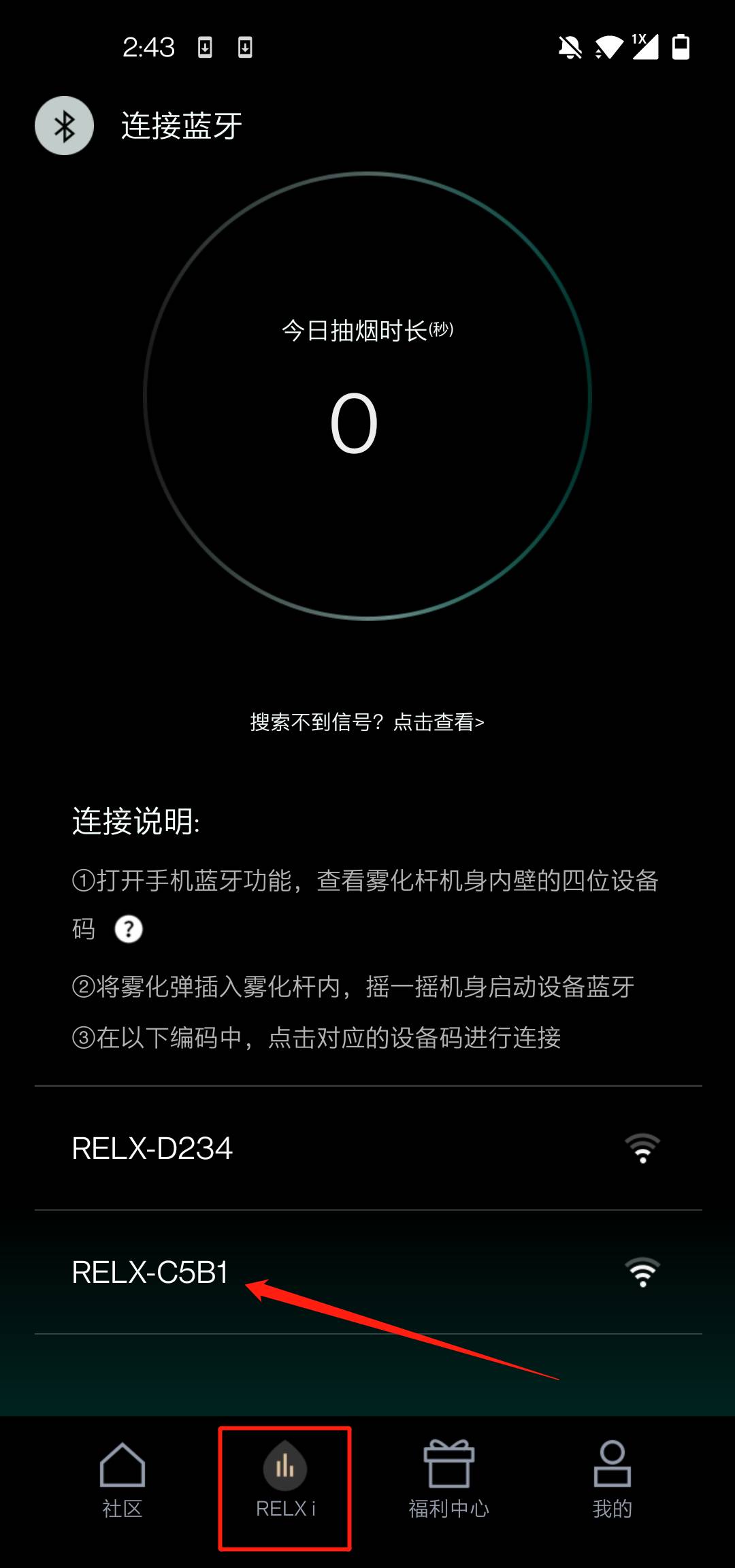
First, we need to download the official app: RELX Me. After entering the app, go to the Bluetooth connection interface, check the last four digits of the internal code of the device, find the corresponding Bluetooth code, and click to connect, and it will be done as shown in the picture.
After clicking connect, it will jump to a data interface exclusive to the 3rd Generation.
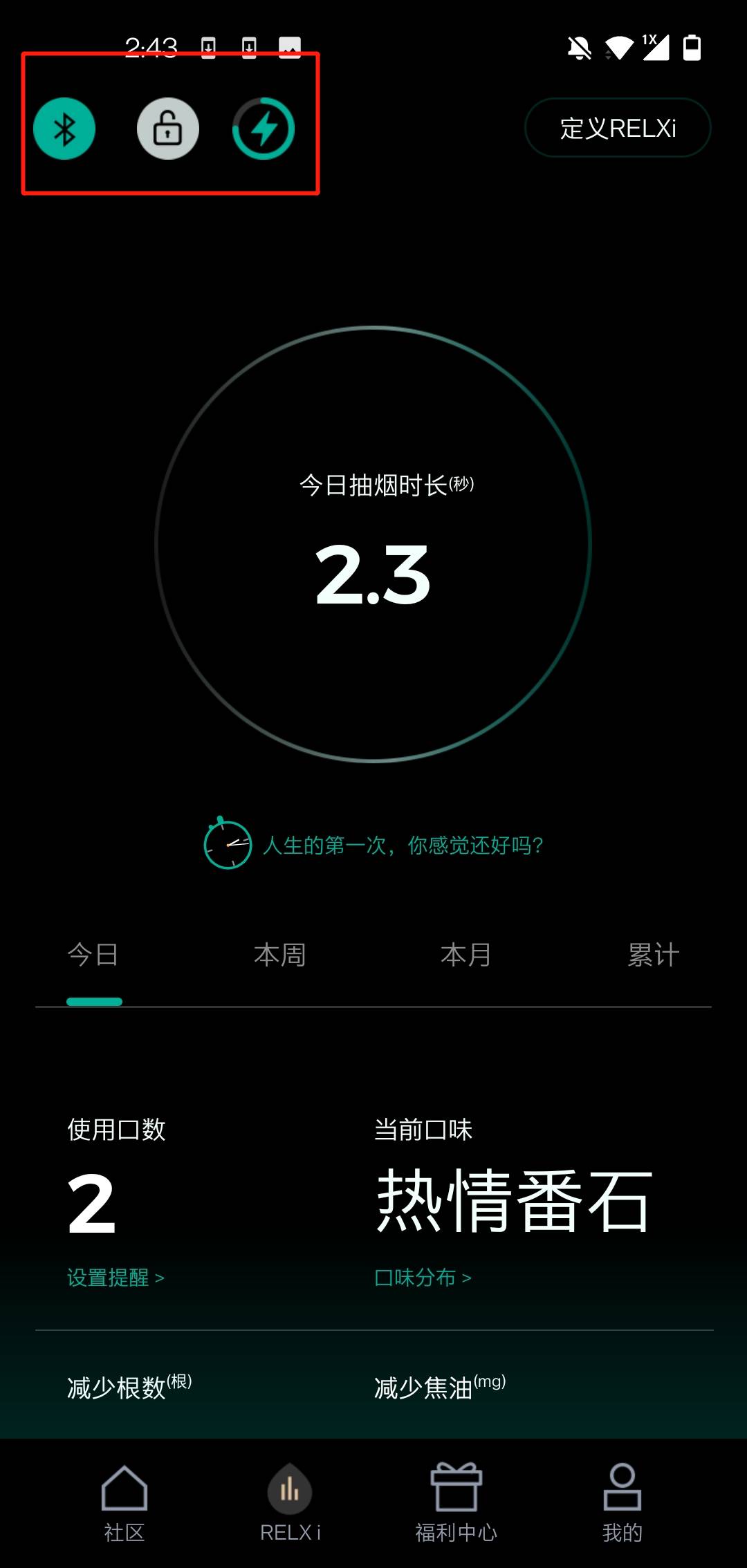
The three circular icons above represent:
1. Bluetooth connection successful
2. Smart lock function. When this smart lock is activated, others cannot pull out the pod from your device. This feature was designed by RELX to prevent children from accidentally vaping, which is quite user-friendly.
3. The lightning icon represents the battery level of the device.
4. The data in the large circle in the middle indicates how many seconds you have vaped today.
5. As for the data below the interface, I will summarize it. It records the number of puffs, the current flavor you are vaping, and how much tar has been reduced compared to traditional cigarettes. Every time you see this data, it is quite satisfying, as you can intuitively see from the data parameters whether you have vaped too much or how many harmful substances have been reduced compared to traditional cigarettes.
In summary: By opening Bluetooth through the official app and following the steps, you can connect to Bluetooth. Most of the functions after connecting are data recording, and there is also a smart lock feature.