MOTI S Lite 2 User Guide: Battery Indicator and Troubleshooting
MOTI S Lite 2 User Guide!
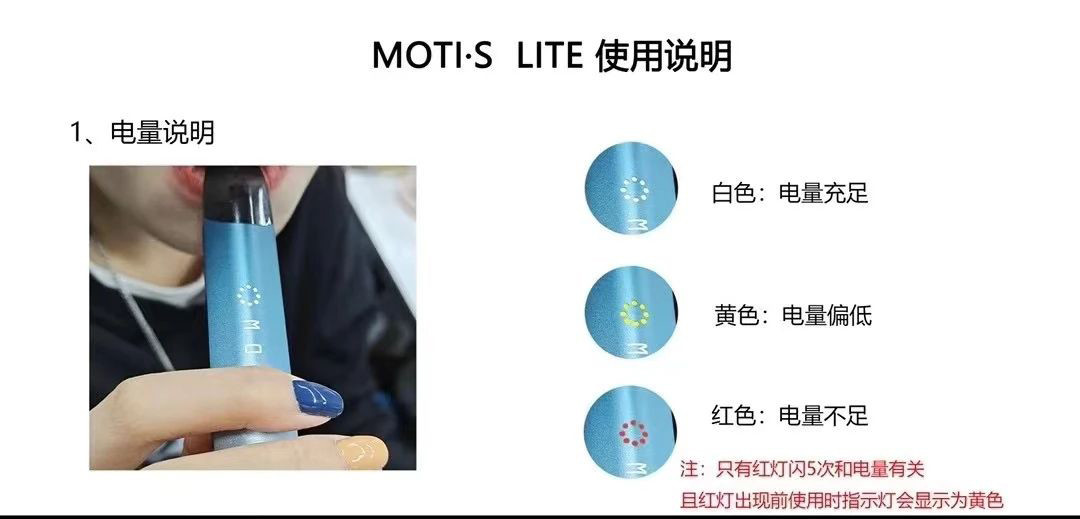
1. Battery Indicator
White: Battery is sufficient
Yellow: Battery is low
Red: Battery is insufficient
Note: The red light flashing 5 times is related to battery level, and before the red light appears, the indicator will show yellow when in use.
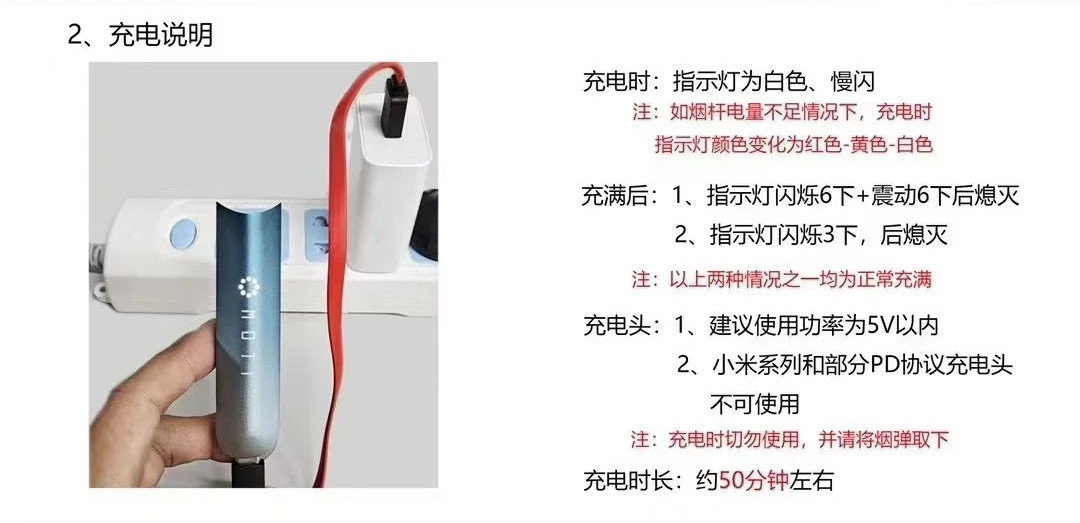
2. Charging Instructions
During charging: The indicator light is white and flashes slowly. (Note: If the battery is insufficient, the indicator light will change from red to yellow to white during charging.)
When fully charged:
1. The indicator light will flash 6 times + vibrate 6 times before turning off.
2. The indicator light will flash 3 times and then turn off. (Note: Either of the above situations indicates a normal full charge.)
Charging head:
1. It is recommended to use a power of 5V or less.
2. Xiaomi series and some PD protocol chargers.
Note: Do not use while charging, and please remove the pod.
Charging time: Approximately 50 minutes
3. Usage Instructions.
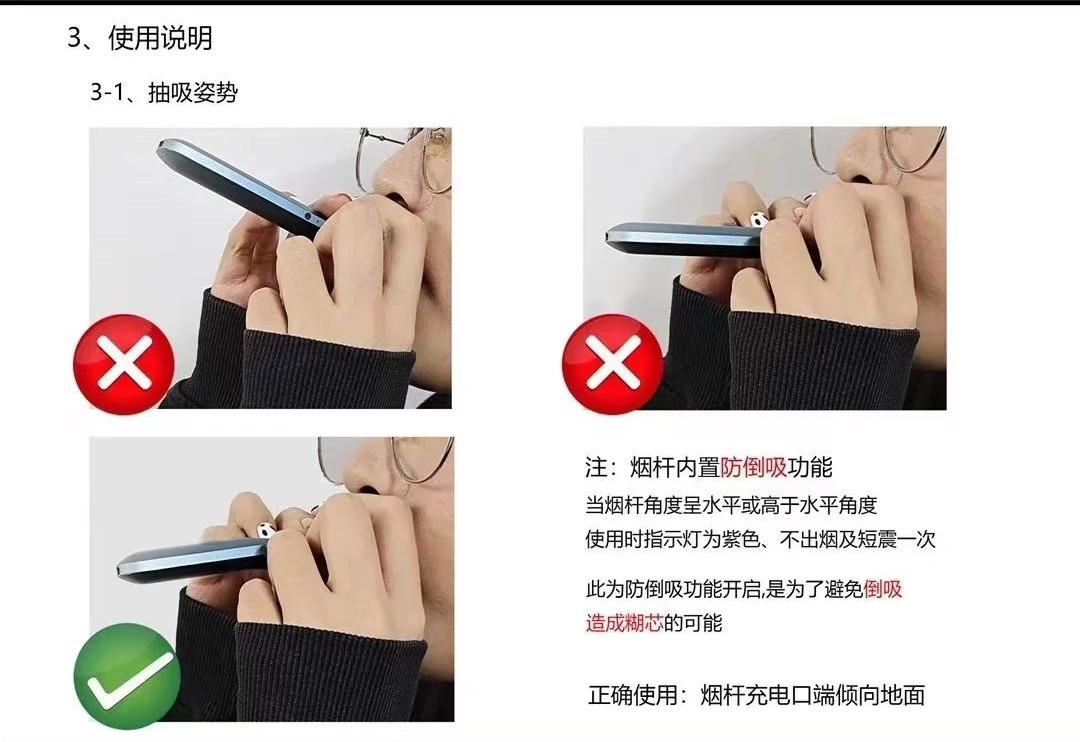
3-1. Inhalation Position:
The device has a built-in anti-backflow feature. When the device is horizontal or at an angle above horizontal, the indicator light will be purple, no vapor will be produced, and it will vibrate once. This indicates that the anti-backflow feature is activated to prevent backflow, which could cause a burnt coil.
Correct usage: The charging port end of the device should be facing down.
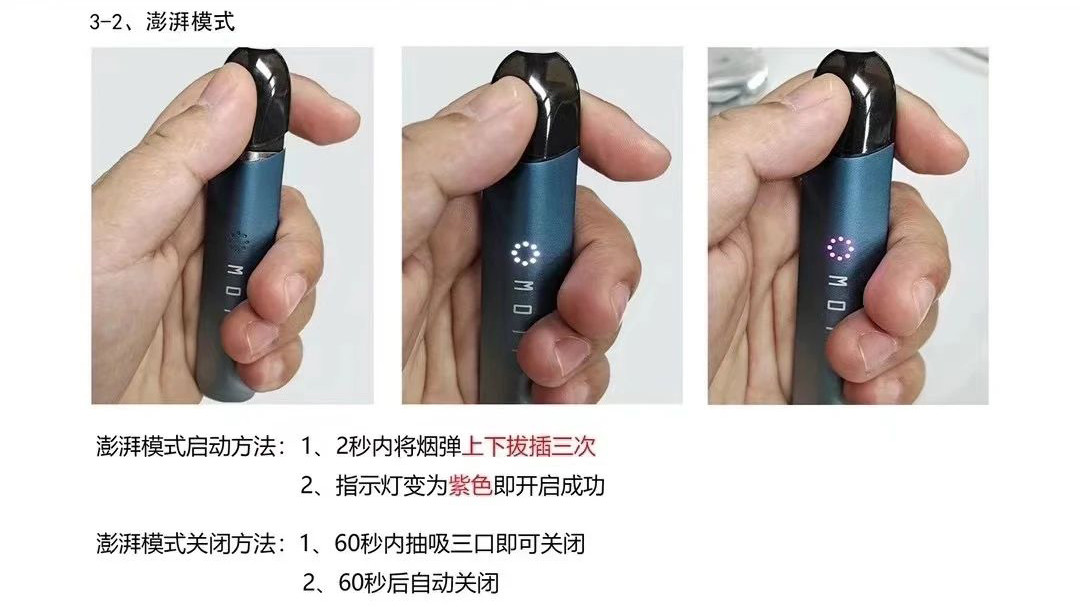
3-2. How to Start Boost Mode:
To activate Boost Mode: 1. Insert and remove the pod three times within 2 seconds. 2. The indicator light will turn purple, indicating successful activation.
To deactivate Boost Mode: 1. Take three puffs within 60 seconds to deactivate. 2. It will automatically deactivate after 60 seconds.
 #p#分页标题#e#
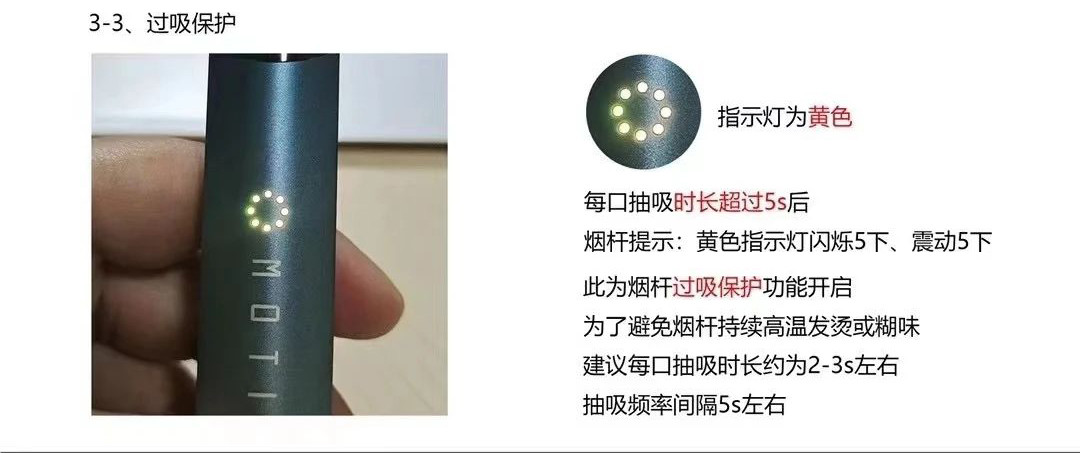
3-3. Over-inhalation Protection:
If the inhalation duration exceeds 5 seconds.
The device will indicate: yellow light flashes 5 times, vibrates 5 times.
This indicates that the over-inhalation protection feature is activated.
To avoid the device overheating or producing a burnt taste.
It is recommended that each puff lasts about 2-3 seconds.
Inhale with an interval of about 5 seconds.
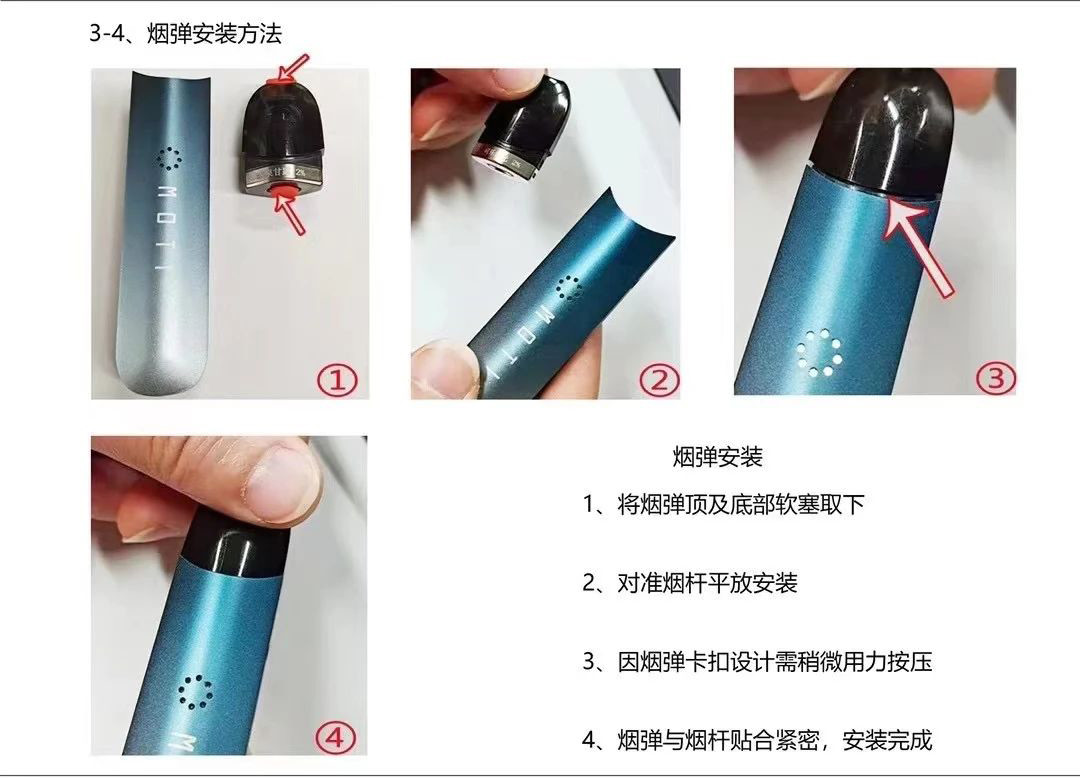
3-4. Pod Installation Method:
1. Remove the soft plugs from the top and bottom of the pod.
2. Align and install the pod horizontally into the device.
3. Due to the pod's clip design, it requires a bit of force to press in.
4. The pod should fit snugly with the device, indicating successful installation.
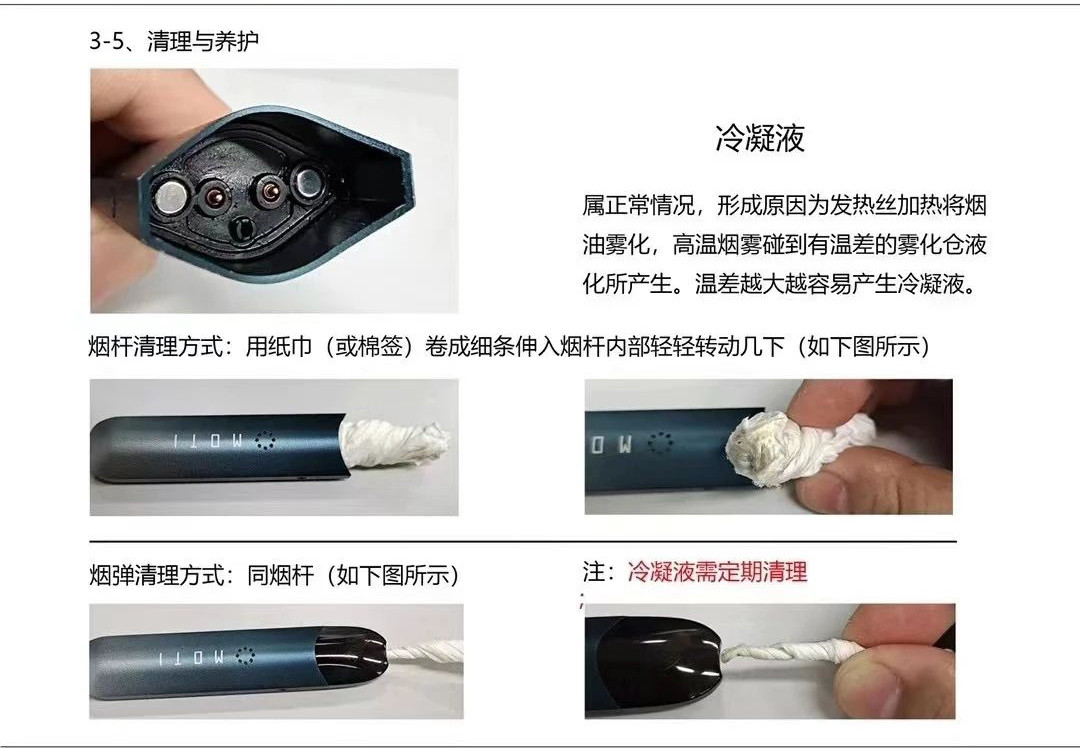
3-5. Cleaning and Maintenance:
During use, condensation may occur in the device. This is normal. The condensation forms because the heating wire vaporizes the e-liquid, and the high-temperature vapor condenses when it meets the cooler atomization chamber. The greater the temperature difference, the more likely condensation will occur.
Cleaning method: Use a paper towel (or cotton swab) rolled into a thin strip to gently rotate inside the device.
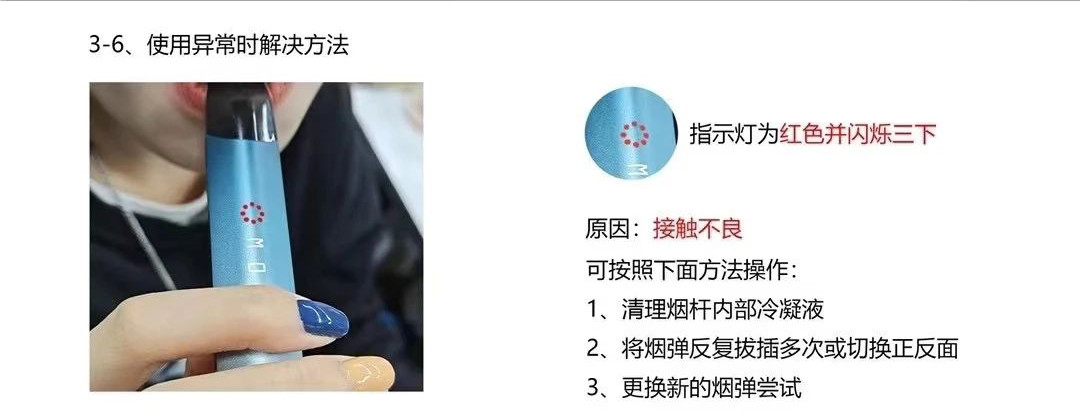
3-6. Troubleshooting:
If the indicator light is red and flashes three times.
Reason: Poor contact.
You can try the following methods:
1. Clean the condensation inside the device.
2. Insert and remove the pod multiple times or switch its orientation.
3. Try replacing with a new pod.